✨ Celebrate Ganesh Chaturthi |Up to 15% OFF✨ Celebrate Ganesh Chaturthi |Up to 15% OFF
Build RAG on AWS Cloud Training
Build production-ready Retrieval-Augmented Generation (RAG) applications on AWS using Amazon Bedrock, OpenSearch, Lambda, API Gateway, and S3. Gain hands-on experience in building scalable, secure, and enterprise-grade Generative AI solutions with real-world projects and certification.
4.8/5
f4.5/5
4.5/5
+1,200 Enrolled
Build End-to-End RAG Applications on AWS
Hands-On with Amazon Bedrock & OpenSearch
Deploy Secure Serverless Generative AI Solutions
Enterprise training for teams:
RAGVerified Partner
FREEConsultation
Talk To A Learning Advisor
Get personalized guidance for your career growth and certifications.
Gain practical experience in building enterprise-grade Retrieval-Augmented Generation (RAG) applications on AWS through 60+ hours of instructor-led training, 20 hands-on labs, real-world projects, and production-ready cloud deployment practices.
Course Description
Build RAG on AWS Cloud Overview
Build RAG on AWS Cloud Using AWS Managed Services for Generative AI Developers is a hands-on training program designed to help professionals build production-ready Retrieval-Augmented Generation (RAG) applications using AWS-native managed services. This course covers the complete RAG lifecycle including document ingestion, embedding generation, vector storage, retrieval orchestration, prompt engineering, API deployment, security, monitoring, and cost optimization.
Participants will work with Amazon Web Services services such as Amazon Bedrock, Amazon OpenSearch Service, AWS Lambda, Amazon S3, API Gateway, IAM, and CloudWatch to build scalable, secure, and enterprise-grade AI applications. By the end of the program, learners will be able to architect and deploy complete RAG solutions aligned with modern cloud AI standards.
what will you get
Key Features & Highlights
1
End-to-End RAG Implementation
Build complete Retrieval-Augmented Generation pipelines from document ingestion to intelligent response generation using AWS managed services.
2
Amazon Bedrock Integration
Learn to integrate foundation models and embedding generation using Amazon Bedrock for scalable Generative AI applications.
3
Vector Search with OpenSearch
Implement vector indexing and semantic retrieval using Amazon OpenSearch Service for enterprise-grade knowledge retrieval.
4
Serverless API Deployment
Deploy secure and scalable RAG APIs using AWS Lambda and API Gateway for production-ready AI applications.
This course provides practical, hands-on training to design, build, secure, and deploy enterprise-grade Retrieval-Augmented Generation applications on AWS using production-ready cloud architecture and best practices.
Why do Build RAG on AWS Cloud at Nevolearn
Experiential Learning
Learn like never before. Not just learning, you interact and gain real experience.
Get practical, real-world learning experience
Engage in interactive sessions and activities
Apply concepts through hands-on exercises
Skill Development
Build skills that matter. Go beyond theory and develop job-ready expertise.
Track and measure your skill progress
Identify strengths and areas for improvement
Gain industry-relevant knowledge and tools
Career Success
Achieve your career goals with structured learning and expert guidance.
Learn from industry experts and mentors
Prepare for certifications and real-world challenges
Boost your career growth with in-demand skills
Build RAG on AWS Cloud Curriculum
Concepts
●What is Generative AI vs RAG (simple explanation)
●Why RAG is used in real jobs
(support bots, search assistants, knowledge chat)
●Create an IAM user/role with minimum
permissions (guided policy)
●Enable CloudWatch logging basics
Concepts
●What is object storage, buckets, folders
●Naming, versioning, encryption
basics
●How S3 fits into a RAG document
pipeline
Lab 3
●Create an S3 bucket for a “knowledge base”
●Upload PDFs/text files
●Enable versioning + basic encryption
●Set correct access permissions
(avoid public access)
Concepts
●Why clean text matters for search accuracy
●Common document issues: headers,
page numbers, repeated text
●Simple preprocessing steps (no heavy
coding)
Lab 4
●Use a guided extraction approach (trainer-provided script /
managed flow)
●Convert sample files into clean text
format
●Store cleaned output back in S3 (separate folder
structure)
Concepts
●What is chunking and why it matters
●Chunk size, overlap (simple rules)
●Metadata: file name, section, page
number
Lab 5
●Apply chunking to extracted text using a guided workflow
●Generate chunk files + metadata JSON
●Save chunks to S3 for embedding step
About Build RAG on AWS Cloud Certification
Follow these simple steps to earn your professional certification and validate your expertise.
1
Enroll in the AWS RAG Training program.
Step 1
2
Complete all 20 training modules and practical labs.
Step 2
3
Participate in hands-on implementation exercises using AWS services.
Step 3
4
Build and deploy an end-to-end RAG application as a capstone project.
Step 4
5
Complete project validation and technical assessment.
Step 5
1
Enroll in the AWS RAG Training program.
Step 1
2
Complete all 20 training modules and practical labs.
Step 2
3
Participate in hands-on implementation exercises using AWS services.
Step 3
4
Build and deploy an end-to-end RAG application as a capstone project.
Step 4
5
Complete project validation and technical assessment.
Step 5
6
Receive the course completion certification after successful evaluation.
🎓 Certification
Prerequisites
Basic understanding of cloud computing concepts, APIs, and web applications is recommended. Familiarity with AWS services and basic programming knowledge will be helpful for hands-on labs and project implementation. An active Amazon Web Services account is required for practical exercises.
Who should attend the Build RAG on AWS Cloud training
This course is ideal for professionals and learners who want to build scalable Generative AI applications and deploy Retrieval-Augmented Generation architectures on AWS Cloud. It is suitable for Generative AI Developers, AWS Developers, Cloud Engineers, DevOps Engineers, AI/ML Engineers, Data Engineers, Software Developers, Technical Architects, IT professionals transitioning into AI, and final-year engineering students looking to build practical cloud AI skills.
Generative AI Developer
RAG Application Developer
AWS Cloud Engineer
Cloud AI Engineer
AI/ML Engineer
DevOps Engineer
Data Engineer
AWS Solutions Architect
LLM Application Engineer
AI Integration Specialist
Cloud Automation Engineer
AI Platform Engineer
COMMON QUESTIONS
Build RAG on AWS Cloud FAQs
This course is suitable for developers, cloud engineers, AI/ML engineers, DevOps professionals, and students interested in Generative AI on AWS.
No. Basic cloud knowledge is helpful, but prior AWS experience is not mandatory.
Basic programming knowledge is recommended for hands-on labs.
Yes. The course starts with foundational concepts and gradually moves into advanced RAG implementation.
Yes, an active Amazon Web Services account is required for labs and project deployment.
Yes. Final-year students and entry-level professionals can join and build practical cloud AI skills.
Yes, but technical familiarity with APIs and cloud basics will help.
Basic understanding of cloud computing, APIs, and application workflows.
No, there is no entrance test for enrollment.
Yes, trainer-guided support is provided during practical sessions.
Skills Covered
What Will You Learn?
RAG Architecture Design
Amazon Bedrock Integration
Vector Search Implementation
OpenSearch Configuration
AWS Lambda Deployment
API Gateway Setup
IAM Policy Management
Prompt Engineering
Cloud Monitoring with CloudWatch
Generative AI Cost Optimization
Serverless AI Application Deployment
Enterprise AI Security Best Practices
Soaring Demand and Accelerated Growth
AWS Generative AI Engineer
Annual Salary
Workers/Salary
₹100KEntry Level
₹140KJunior
₹165KMid-Level
₹190KSenior
₹230KExpert
Hiring Companies
Design, build, and deploy enterprise-grade Retrieval-Augmented Generation (RAG) applications on AWS using managed services like Amazon Bedrock, OpenSearch, Lambda, and S3. Responsibilities include implementing vector search pipelines, integrating LLMs, optimizing cloud AI workloads, managing API deployments, securing AI infrastructure with IAM, and monitoring performance using CloudWatch.
FOR AWS Generative AI Engineer
Annual Salary
Workers/Salary
₹100KEntry Level
₹140KJunior
₹165KMid-Level
₹190KSenior
₹230KExpert
Hiring Companies
Design, build, and deploy enterprise-grade Retrieval-Augmented Generation (RAG) applications on AWS using managed services like Amazon Bedrock, OpenSearch, Lambda, and S3. Responsibilities include implementing vector search pipelines, integrating LLMs, optimizing cloud AI workloads, managing API deployments, securing AI infrastructure with IAM, and monitoring performance using CloudWatch.
for AWS Generative AI Engineer
AWS Generative AI Engineers are responsible for building scalable AI applications powered by cloud-native architecture. They develop production-ready RAG systems, improve knowledge retrieval accuracy, optimize infrastructure costs, and ensure secure deployment of Generative AI applications for enterprise use cases.
Set your teams up with this course
Group Discount Available
This course equips learners with practical expertise to design, build, and deploy enterprise-grade Retrieval-Augmented Generation (RAG) applications on AWS Cloud. By working with managed services like Amazon Bedrock, OpenSearch, Lambda, and S3, participants gain real-world cloud AI implementation skills, strengthen their Generative AI knowledge, and improve career readiness for high-demand AI and cloud roles.
Top Companies Rely on Us to Upskill Their Workforce
BENEFITS
Transforming your team
Gain hands-on experience building production-ready RAG applications on AWS.
Develop expertise in Amazon Bedrock, vector search, and serverless AI deployment.
Learn enterprise security, monitoring, and cost optimization for Generative AI workloads.
Build a capstone project and earn an industry-recognized certification to enhance career opportunities.
CERTIFICATION
Earn a certificate on completion of this course
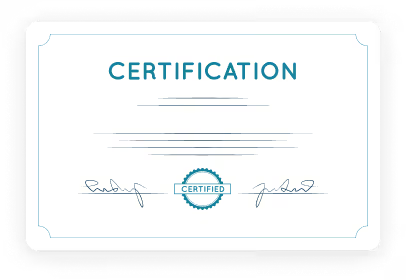
After finishing Nevolearn's Build RAG on AWS Cloud course, you'll earn an industry-recognized professional certificate. This certificate is designed for sharing on LinkedIn, allowing you to highlight your accomplishments and share your new skills with your network.
Validating your expertise with a professional certification helps you stand out in the job market and provides tangible proof of your commitment to continuous learning and professional growth.
TESTIMONIALS
What Learners are Saying
4.8/5•3,666 Reviews
4.8/5•3,666 Reviews
4.8/5•3,666 Reviews
4.8/5•3,666 Reviews
Got questions?
Still have a question? Get in Touch with our Experts
Build RAG on AWS Cloud Using AWS Managed Services is a specialized cloud-focused Generative AI training program designed for developers who want to deploy Retrieval-Augmented Generation (RAG) systems in production environments using AWS infrastructure. As enterprises rapidly adopt Generative AI, organizations increasingly seek professionals who can implement secure, scalable, and cost-optimized RAG architectures on cloud platforms like AWS.

 +1,200 Enrolled