Holiday Special | Enjoy 20% OFF – Celebrate the Season with Big Savings!Holiday Special | 20% OFF!
Agentic AI Developer Training
Master Retrieval-Augmented Generation (RAG) on Google Cloud using Vertex AI (Gemini), Vector Search, Cloud Storage, and BigQuery. Learn to design secure, scalable AI assistants that retrieve accurate answers from enterprise documents through structured, hands-on GCP training.

Build RAG on Google Cloud Course Overview
Key Features


Who All Can Attend This Build RAG on Google Cloud Course?
· Freshers and engineering graduates · Beginners from any technical or non-CS background · Cloud beginners seeking Google Cloud AI skills · Software Developers and Application Developers · Support, QA, and Operations professionals · Business Analysts exploring AI automation · IT professionals transitioning into GenAIPrerequisites To Take Build RAG on Google Cloud Using Google Managed Services
- Basic computer literacy (files, browser usage, email)
- No advanced coding required
- Basic cloud understanding is helpful but not mandatory
- Interest in AI application development and automation

- Upskill or reskill your teams
- Immersive Learning Experiences
- Private cohorts available
- Advanced Learner Analytics
- Skills assessment & benchmarking
- Platform integration capabilities
- Dedicated Success Managers

- Upskill or reskill your teams
- Immersive Learning Experiences
- Private cohorts available
- Advanced Learner Analytics

Play Intro Video
Next Cohort starts in 2 days

This Google Cloud RAG training empowers professionals to build secure, enterprise-ready Generative AI systems using Google managed services. Learners move beyond simple chatbot experimentation and gain practical expertise in designing ingestion pipelines, generating embeddings, configuring vector search, implementing retrieval-based grounding, and deploying scalable AI assistants within GCP environments.
For individuals, this certification enhances career prospects in Google Cloud-based Generative AI roles and builds a strong portfolio project that demonstrates real-world implementation capability. It prepares learners for cloud AI job roles where grounded AI systems are preferred over standalone prompt-only solutions.
For organizations, trained professionals can build internal AI assistants connected to enterprise knowledge bases, improving productivity, reducing manual support workload, and ensuring compliance with security and access governance policies.

High Demand for Build RAG on Google Cloud Using Google Managed Services
Soaring Demand and Accelerated Growth


Skills Focused
Concepts
● What is cloud? What is Google Cloud Platform (GCP)?
●
Projects, billing basics
(high-level), regions/zones
●
Console tour and service navigation
Lab 1
●
Create/select a GCP project (or use
a provided training project)
●
Enable key APIs (guided)
●
Set budgets/alerts (training-safe
setup)
Concepts
● IAM users, roles, permissions (beginner explanation)
● Service accounts and why they matter for apps
Lab 2
● Create a service account
● Assign least-privilege roles for Storage + Vertex AI
● Test access with a simple console check
Concepts
● Buckets, objects, folders (prefix), lifecycle basics
● Organizing documents for AI retrieval
Lab 3
● Create a bucket and upload sample PDFs
● Set folder structure (by department/type)
● Apply basic access control (who can read what)
Concepts
● What LLMs do (and why hallucinations happen)
● What “grounding” means and why enterprises need it
● RAG overview: retrieve then generate
Lab 4
● Use Vertex AI Studio to test prompts
● Compare: ungrounded vs grounded response behavior (demo dataset)
Concepts
● End-to-end RAG flow: ingest → chunk → embed → vector store → retrieve → answer
● Managed services approach vs building everything yourself
Lab 5
● Draw your RAG architecture diagram (template)
● Map each step to a GCP managed service
Concepts
● Text extraction basics: PDFs, scanned documents, mixed
formats
●
When to use Document AI
●
Common issues: headers/footers,
noise, duplicates
Lab 6
●
Run Document AI (or a provided
parser pipeline)
●
Export extracted text to Cloud
Storage
●
Validate extracted text quality
(simple checklist)
Concepts
● What is chunking and why it affects answer quality
● Metadata: source, department, date, category, access tag
Lab 7
● Create chunking rules using guided templates
● Add metadata fields for filtering
● Store chunked outputs in Cloud Storage (ready for embeddings)
Concepts
● What embeddings are (simple analogy)
●
Similarity search and
“meaning-based” retrieval
●
Embedding model selection basics in
Vertex AI
Lab 8
●
Generate embeddings for sample
chunks using Vertex AI (guided)
●
Inspect a few embedding outputs
(conceptual, not math-heavy)
●
Save embedding + metadata pairs
Concepts
● Vector index vs vector store (beginner-friendly)
● Index updates, latency, top-k
Lab 9
● Create a Vector Search index
● Import embeddings
● Run a similarity search and review retrieved results
Concepts
● Top-k selection, filters (metadata), freshness boosting
●
“Right context” strategies: reduce
noise, increase relevance
Lab 10
●
Build retrieval filters (e.g.,
department=HR)
●
Tune top-k and compare outputs
●
Create a small “golden questions”
list for testing
Concepts
● Prompt structure for grounded Q&A (role + rules + output
format)
●
Citation-style outputs (show source
doc name/page/section)
●
Refusal patterns (“not found in
documents”)
Lab 11
●
Create a grounded prompt template
●
Force the model to answer only from
retrieved context
●
Validate: questions outside the docs
should trigger safe refusal
Concepts
● When RAG needs structured data (tables, policies, pricing,
inventory)
●
Basic idea: combine vector retrieval
+ structured query results
Lab 12
●
Load a simple dataset into BigQuery
(provided CSV)
●
Run guided queries (no complex SQL
required)
●
Append query output as context to
the LLM response
Concepts
● What a RAG app needs: input, retrieval, answer, citations
●
UI options: simple web form,
lightweight app templates
Lab 13
●
Use a provided template (minimal
coding) to create a basic chat/Q&A page
●
Connect it to retrieval + Gemini
response
●
Show sources under each answer
Concepts
● What Cloud Run is (serverless containers, auto-scale)
●
Basic deployment pipeline concept
(without heavy DevOps)
Lab 14
●
Deploy the RAG app to Cloud Run
(guided)
●
Test endpoints and access
permissions
●
Set environment variables for
configuration
Concepts
● Why secrets should never be hardcoded
●
Secret Manager basics and access
control
Lab 15
●
Store sensitive configs in Secret
Manager
●
Grant access to Cloud Run service
account
●
Verify the app reads secrets
securely
Concepts
● What to monitor: latency, errors, token usage, retrieval
misses
●
Cloud Logging and Cloud Monitoring
basics
Lab 16
●
View Cloud Run logs
●
Create simple monitoring dashboards
(requests, errors, latency)
●
Add basic “retrieval debug logs”
(which docs were used)
Concepts
● Quality signals: correctness, grounding, completeness,
usefulness
●
Creating a test set (golden Q&A)
●
Basic evaluation workflow (manual +
simple scoring)
Lab 17
●
Build a 20-question test set from
your documents
●
Run test queries and score outputs
with a rubric
●
Identify improvement actions
(chunking, metadata, top-k)
Concepts
● Least privilege IAM for RAG components
●
Document-level access ideas (who can
see which docs)
●
Safe outputs and data handling
basics
Lab 18
●
Apply separate buckets/indexes for
sensitive vs general docs (training simulation)
●
Restrict access using IAM roles
●
Validate access with two test
identities (admin vs user)
Concepts
● Where cost comes from: model usage, vector search, storage,
egress
●
Simple cost-saving patterns:
caching, limiting context, better retrieval
Lab 19
●
Set usage limits and monitor spend
signals
●
Tune context size and top-k to
reduce cost
●
Compare performance before vs after
tuning
Concepts
● Project planning: use case, success criteria, architecture
summary
●
Production checklist: security,
monitoring, evaluation, cost
Lab 20
●
Build a complete RAG assistant using
your chosen dataset (or provided corp dataset)
●
Deploy on Cloud Run with secrets +
logging
●
Final demo: answers + citations +
evaluation report

Career Path
Certification Process


Connect With Reps

Frequently Asked Questions
Yes. The course starts with cloud fundamentals and RAG basics explained in simple language. Even learners from non-CS backgrounds can follow the structured labs and progressively build their understanding.
No. The training focuses on Google managed services such as Vertex AI, Vector Search, and Cloud Run. Some basic scripting may be demonstrated, but heavy programming is not required.
You will work with Vertex AI (Gemini), Vertex AI Vector Search, Cloud Storage, BigQuery, Document AI, IAM, Secret Manager, Cloud Logging, and Cloud Run for deployment.
Yes. The capstone project requires you to build a complete, working RAG assistant including ingestion, embeddings, retrieval, grounding, evaluation, and deployment.
A normal chatbot generates responses from general training data and may hallucinate. A RAG system retrieves relevant enterprise documents first and then generates grounded answers based only on that retrieved content.
Yes. You will implement IAM-based access control, service accounts, document isolation strategies, and safe configuration practices to align with enterprise governance standards.
Yes. You will create a structured test dataset, evaluate retrieval accuracy, score AI responses using a rubric, and iteratively improve your system.
Yes. The course explains token usage costs, vector search pricing factors, storage considerations, and how architecture decisions affect cloud spend.
Absolutely. The curriculum is designed around enterprise use cases such as HR assistants, IT knowledge bots, compliance search tools, and internal knowledge retrieval systems.
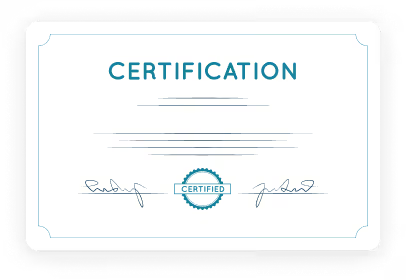
You will receive certification, a capstone project, architecture documentation, evaluation results, and a portfolio-ready RAG implementation suitable for interviews.
This Google Cloud RAG training empowers professionals to build secure, enterprise-ready Generative AI systems using Google managed services. Learners move beyond simple chatbot experimentation and gain practical expertise in designing ingestion pipelines, generating embeddings, configuring vector search, implementing retrieval-based grounding, and deploying scalable AI assistants within GCP environments.
For individuals, this certification enhances career prospects in Google Cloud-based Generative AI roles and builds a strong portfolio project that demonstrates real-world implementation capability. It prepares learners for cloud AI job roles where grounded AI systems are preferred over standalone prompt-only solutions.
For organizations, trained professionals can build internal AI assistants connected to enterprise knowledge bases, improving productivity, reducing manual support workload, and ensuring compliance with security and access governance policies
- Gain practical experience in GCP-based RAG deployment
- Build portfolio-ready enterprise AI projects
- Develop grounding and hallucination reduction expertise
- Improve employability in Google Cloud GenAI roles
- Strengthen cloud governance and IAM knowledge